
The Inventory tab mirrors the account's in-game backpack — every item the account is currently holding, from speed-ups and resource packs to gear and other consumables — and lets you use items straight from the app.
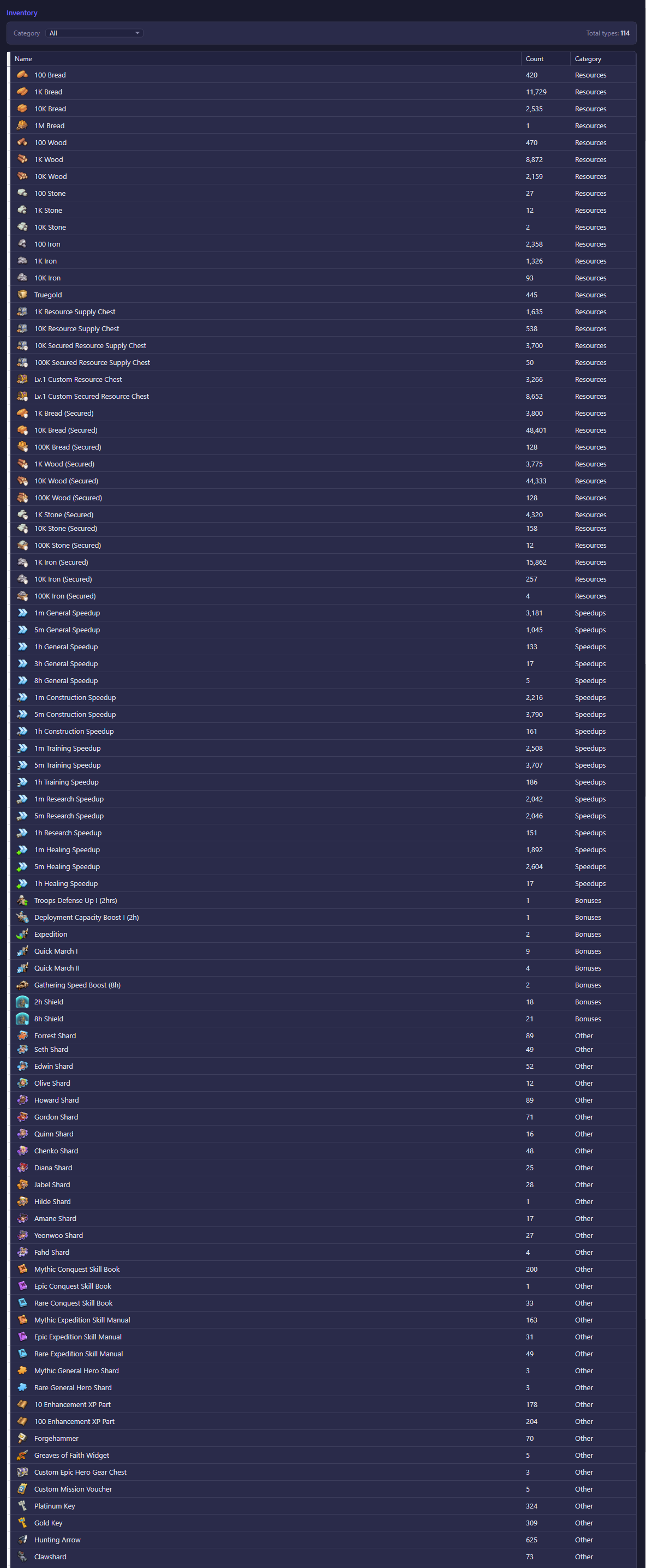
What you see
- Category — a dropdown that filters the list down to one of the game's backpack tabs (the same categories the in-game backpack uses), or "All" to see everything at once.
- Total types — how many distinct item types match the current filter.
- The item list shows, for every item currently in the backpack: its icon and name, how many you have, and which category it belongs to. Click a column header to sort by that column.
The list reflects live backpack contents and updates automatically once the account is connected — while offline it stays empty since there is nothing to read yet.
What you can do
Right-click any item row to open a context menu with two actions:
- Use 1 — uses a single copy of that item.
- Use All — uses every copy of that item you currently hold. Since this can't be undone, a confirmation prompt appears first, showing the exact quantity about to be consumed.
Both actions send the same request the game client itself would send, so using an item here has the same effect as using it in-game.