
Building controls what the main build queue spends its time and resources on: whether it runs at all, whether it speeds itself up, whether a second builder is kept active, in what order building categories are upgraded, and which individual buildings are excluded.
The values in the screenshots below are one account's configuration, not the defaults. Each option's default is listed in the tables.
Building
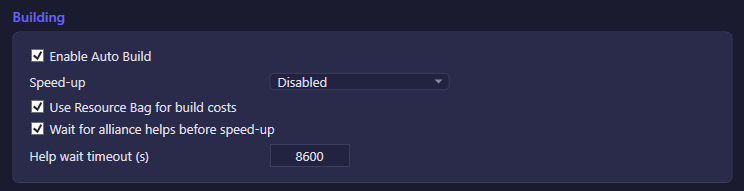
| Option | What it does | Default |
|---|---|---|
| Enable Auto Build | Master switch for the automated build queue. | On |
| Speed-up | How the bot spends speedup items on the build queue: Disabled never uses them, TypeOnly uses only Building-type speedups, TypeAndGeneral also spends General speedups (which work on any queue). | Disabled |
| Use Resource Bag for build costs | Draws on Resource Bag items in the backpack to cover a resource shortfall before starting a build. | Off |
| Wait for alliance helps before speed-up | Delays spending a speedup item until the queue has received the maximum alliance helps it can get (or the timeout below elapses), so free help-time reductions stack first. | On |
| Help wait timeout (s) | Upper bound on how long the bot waits for alliance helps before speeding up anyway. Only applies while the option above is on. | 30 |
The build queue also has a separate, always-on gem-skip mechanism for short-remaining queues (30 to 225 seconds left, costing up to 50 gems per skip and 200 gems per session) that isn't exposed as a toggle in this section — it exists to satisfy in-game guide objectives without needing a setting.
Second Build Queue

| Option | What it does | Default |
|---|---|---|
| Activate second build queue automatically | Opens the second build-queue slot using a Construction Contract item from the backpack when the slot expires. | On |
| Use gems (1000) when no Construction Contract in backpack | If no Construction Contract is available, spends 1000 gems to activate the second queue for 2 days instead. Only applies while the option above is also on. | Off |
Build Priority
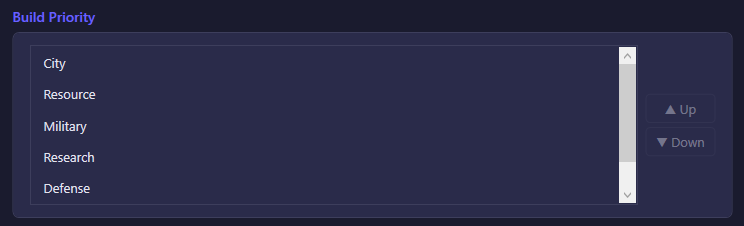
An ordered list of building categories — City, Resource, Military, Research, Defense by default — that decides which category gets upgraded first when more than one is eligible. Select a category and use ▲ Up / ▼ Down to reorder it.
Auto-Upgrade Buildings
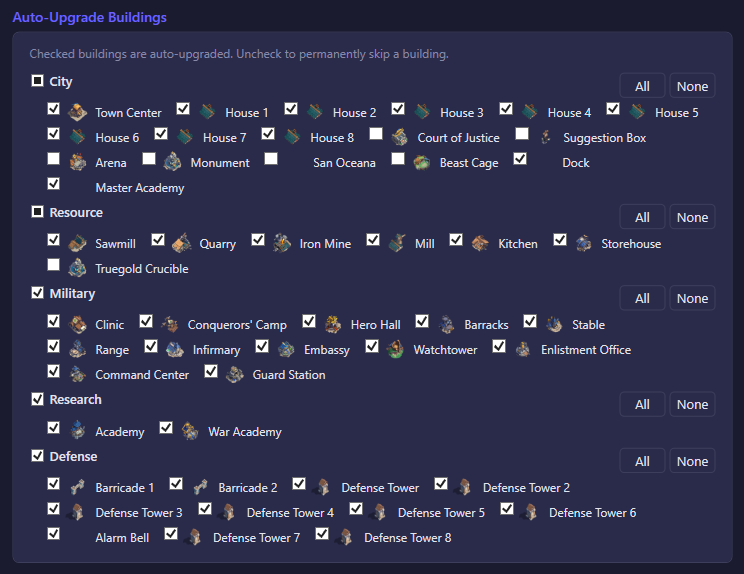
A checklist of every building, grouped by category (City, Defense, Military, Research, Resource). Checked buildings are auto-upgraded when they come up in the priority order above; unchecking one permanently skips it. All / None buttons apply to every building in a category at once. With nothing excluded, the bot upgrades everything that passes its prerequisites.