
Science controls the regular research queue (Academy technologies) — whether it runs, how it spends speedup items, which techs it targets, and which techs it must never research.
The values in the screenshots below are one account's configuration, not the defaults. Each option's default is listed in the tables.
Research
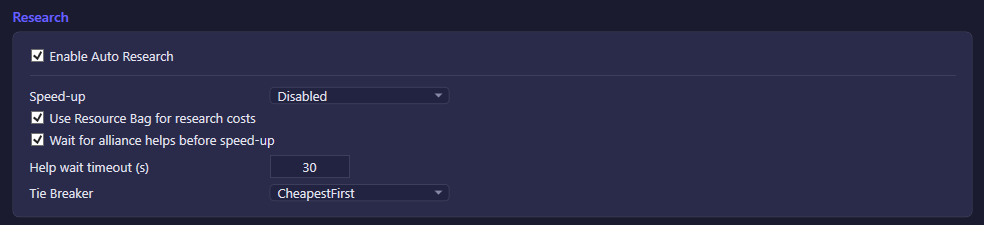
| Option | What it does | Default |
|---|---|---|
| Enable Auto Research | Master switch for the automated research queue. | On |
| Speed-up | How the bot spends speedup items on research: Disabled never uses them, TypeOnly uses only Research-type speedups, TypeAndGeneral also spends General speedups. | Disabled |
| Use Resource Bag for research costs | Draws on Resource Bag items in the backpack to cover a resource shortfall before starting a research. | Off |
| Wait for alliance helps before speed-up | Delays spending a speedup item until the queue has received the maximum alliance helps it can get (or the timeout below elapses). | On |
| Help wait timeout (s) | Upper bound on how long the bot waits for alliance helps before speeding up anyway. | 30 |
| Tie Breaker | Only shown when the priority list (below) is empty. Decides which tech wins when the fallback strategy finds several candidates of equal priority: CheapestFirst picks the lowest research time, MostCombat picks the highest combat-power gain. | CheapestFirst |
Tech Tree
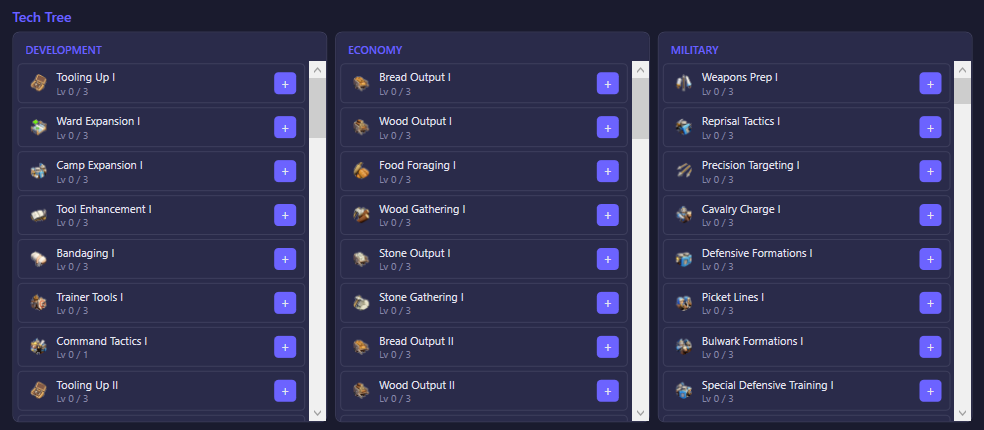
Browse every research tech across three trees — Development, Economy, Military — and click + on a tech to add it to the Research Priority list at a target level, or - to lower an already-targeted tech's level.
Research Priority
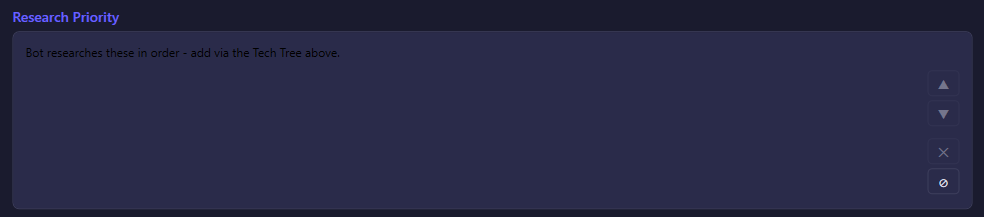
The ordered list of tech targets built from the Tech Tree above. When this list is non-empty, the bot researches strictly in this order — the first target still below its target level is picked. When the list is empty, the bot falls back to a "lowest-Id, not yet maxed" heuristic using the Tie Breaker option and a hidden fallback level cap. Use ▲/▼ to reorder, ✕ to remove the selected entry, or ⊘ to clear the whole list.
Tech Exclusions

Techs added here are never researched automatically, regardless of the priority list or the fallback strategy. Pick a tech from the dropdown (filterable by name) and click + Add; with no exclusions set, the bot is free to research everything.