
The Champagne Fair tab controls the two-step Champagne Fair economy: turning surplus items into Fair Vouchers, then spending those vouchers on goods. It lives in Settings → Event Shops → Champagne Fair. Both the exchange side and the buying side are separate switches, and both are off by default.
Exchange and buy
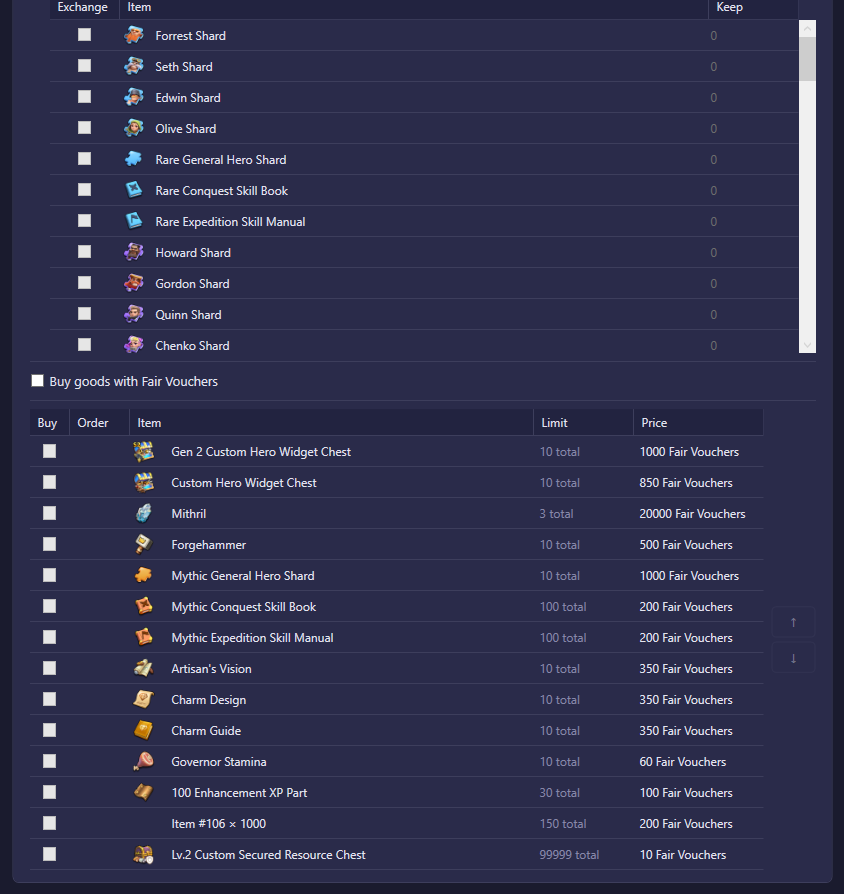
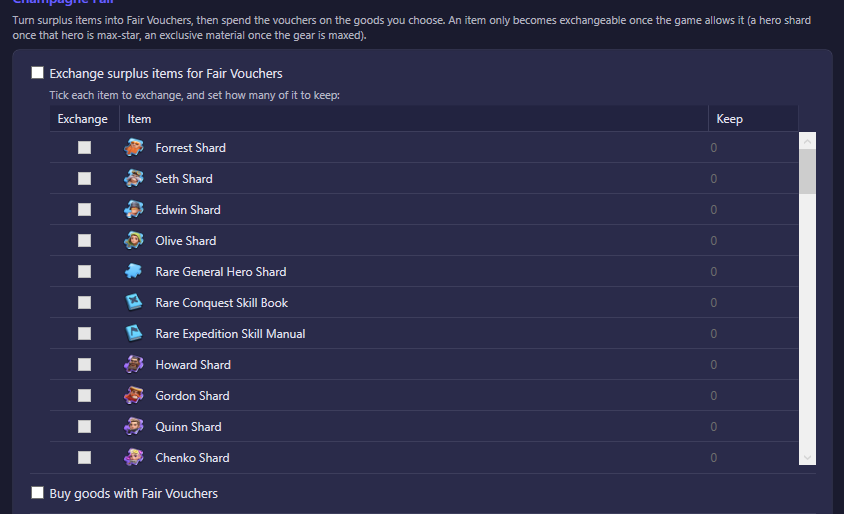
Turn surplus items into Fair Vouchers, then spend the vouchers on the goods you choose. An item only becomes exchangeable once the game allows it — for example a hero shard once that hero is max-star, or an exclusive material once its gear is maxed. This means ticking an item to exchange never throws away something the game still considers usable.
| Option | What it does | Default |
|---|---|---|
| Exchange surplus items for Fair Vouchers | Master switch for the exchange side. While off, no items are converted into vouchers, even if some are ticked below. | Off |
| Item list, per item | Tick which eligible items to exchange for vouchers. An item not ticked is never touched. Each ticked item also has a "keep" amount: the bot only exchanges the amount above that reserve, so you can hang onto a stock of an item while still converting the surplus. Leaving the reserve at its default keeps nothing back and exchanges all of it. | Nothing ticked; reserve 0 per item |
| Buy goods with Fair Vouchers | Master switch for the buying side. While off, vouchers pile up but nothing is spent. | Off |
| ↑ / ↓ buy priority list | The ordered list of goods to buy with Fair Vouchers. Only items on this list are ever bought; each is bought top-to-bottom, fully draining one before moving to the next. Use the arrows to reorder priority. | Empty |
Both switches can be used independently: you can let vouchers accumulate without buying anything yet, or buy from a stock of vouchers you already have without exchanging further items.
Buy priority list
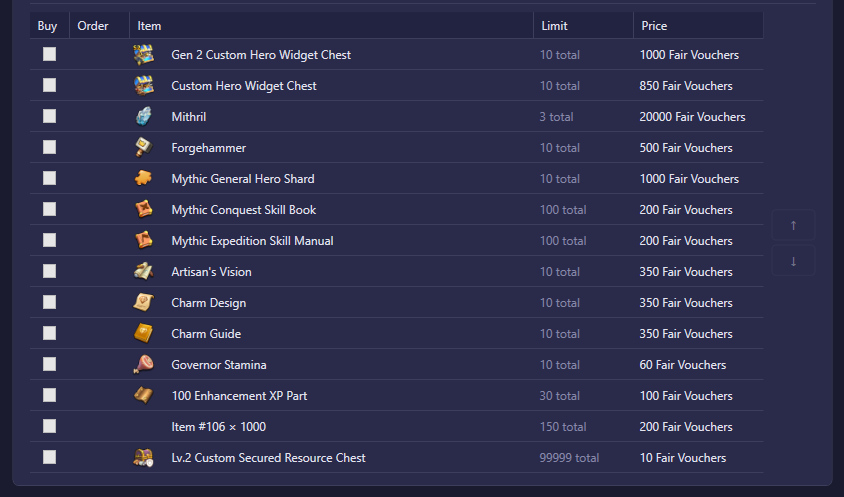
This is the list behind ↑ / ↓ buy priority list above. Each row shows an item the shop can sell for Fair Vouchers:
- Buy — ticks the item onto your buy list. An unticked item is never purchased.
- Order — the ↑ / ↓ arrows that move a ticked item up or down the priority order.
- Item — the good you receive.
- Limit — the shop's own stock cap for that item (for example "10 total"); the bot can never buy past it regardless of how many vouchers you have.
- Price — the cost in Fair Vouchers.
The bot buys ticked rows top-to-bottom, fully draining one (hitting its Limit or running out of vouchers) before starting the next.