
The Buildings view lists every building in your city along with its current level and upgrade status, so you can see your city's overall progress and what's currently under construction at a glance. It's a read-only overview — building queues and upgrade choices are still handled by the bot's automation and the game itself.
What you see
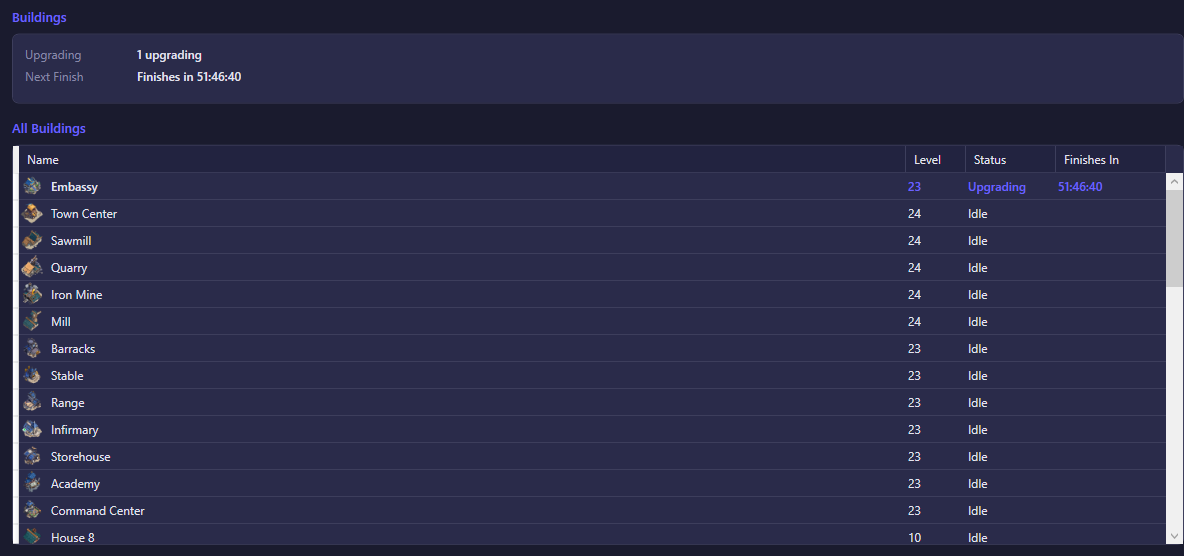
The summary at the top shows Upgrading — how many buildings currently have an upgrade in progress — and Next Finish, a countdown to the soonest upgrade completion across all your buildings.
The All Buildings table lists every building with:
- Name — the building's name and icon.
- Level — its current level.
- Status — either Upgrading or Idle.
- Finishes In — a countdown until the upgrade completes, shown only for buildings currently upgrading.
Buildings that are upgrading are shown first (highlighted in accent color), sorted by level, followed by idle buildings, also sorted by level. This list is empty until the account connects and its building data has been read; once connected, it reflects your full city layout automatically.
What you can do
This view has no buttons — it's a status display only. To act on your buildings (start or manage upgrades), use the game itself; the bot's own building-upgrade automation is configured from the account's Settings tab, not from this view.