
The Emporium of Enigma tab controls automated buying in that event shop, which spends Pearls of Enigma on the goods you pick. It lives in Settings → Event Shops → Emporium of Enigma. This shop is disabled for automated buying by default — you have to opt in.

Buying priority
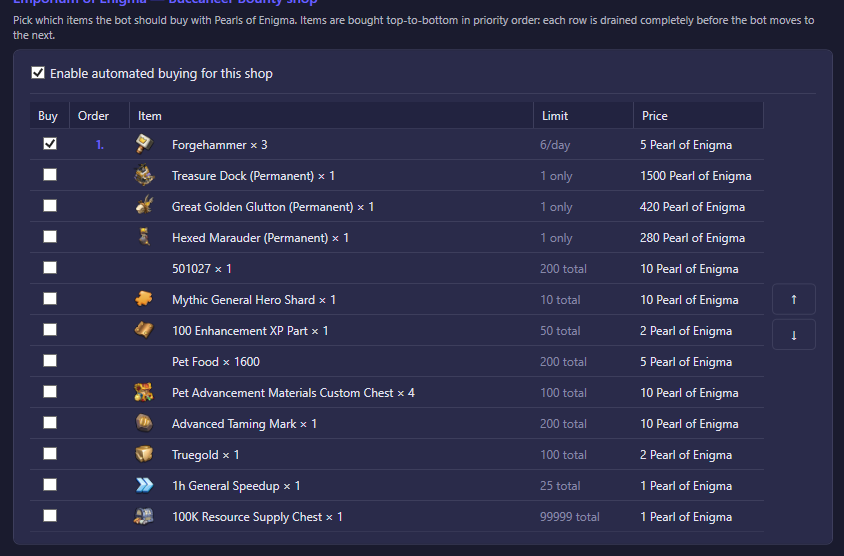
Pick which items the bot should buy with Pearls of Enigma. Items are bought top-to-bottom in priority order: each row is drained completely — either its stock limit is reached or you can no longer afford it — before the bot moves to the next row.
| Option | What it does | Default |
|---|---|---|
| Enable automated buying for this shop | Master switch for the Emporium of Enigma. While off, the bot never spends Pearls of Enigma here even if items are ticked below. | Off |
| Item list with ↑ / ↓ | The ordered list of items to buy. Only items you add to this list are ever purchased; anything not listed is left alone. Use the arrows to move an item up or down to change its buying priority. | Empty |
Pearls of Enigma not spent here simply keep accumulating — nothing is lost by leaving the shop disabled or the buy list empty.