Automate pet dispatch, capture, leveling, and active-skill casting.
·3 min read
The Pets tab covers everything the bot does with your pets: sending them on Adventures, capturing new ones, leveling and breaking them through, and casting their active skills. It has no single master switch — each block below has its own toggle.
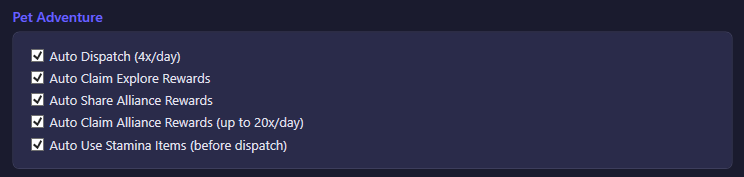
Pet Adventure
Option
What it does
Default
Auto Dispatch (4x/day)
Sends your pet out on Adventure dispatches, up to the game's daily limit.
On
Auto Claim Explore Rewards
Collects the rewards from completed Adventure dispatches.
On
Auto Share Alliance Rewards
Shares your Adventure rewards to the alliance reward pool.
On
Auto Claim Alliance Rewards (up to 20x/day)
Claims rewards other alliance members have shared, up to the daily cap.
On
Auto Use Stamina Items (before dispatch)
Consumes stamina-replenishment items from your backpack before dispatching, so a low-stamina pet can still go out.
On
Capture / Domestication
Option
What it does
Default
Auto Capture (perfect value, 1 attempt/tick, daily cap)
Runs the capture mini-game automatically: it searches for a wild pet, waits out the real mini-game timer (plus a small random jitter) so the attempt looks organic, then submits the perfect capture value. Respects the game's daily cap, and backs off a pet for 6 hours after an attempt if no wild slot was available, so it doesn't hammer the search. Domestication itself has no separate automation — it's a mini-game, not a queueable action.
On
Upgrade
Option
What it does
Default
Auto Level Up
Levels up pets using available Pet Food.
On
Level target
Global level cap applied to every pet that doesn't have its own per-pet target set below. 0 means no cap — leveling continues up to the quality-tier maximum.
0 (no limit)
Auto Breakthrough
Performs pet breakthroughs (quality tier promotions) automatically once a pet is maxed for its current tier.
On
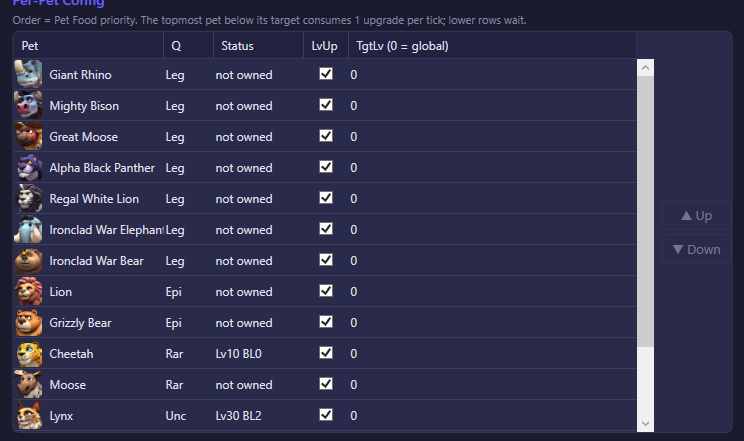
Per-Pet Config
One row per pet you own (locked/not-yet-owned pets are also listed, greyed out, so you can plan ahead). Columns:
Column
Meaning
Pet
Pet icon and name.
Q
Quality tier.
Status
Current level/breakthrough (LvX BLY), locked if owned but not yet unlocked, or not owned.
LvUp
Per-pet override: include or exclude this pet from Auto Level Up.
TgtLv (0 = global)
Per-pet level target. 0 falls back to the global Level target above (and from there to the quality-tier max if that's also 0).
Row order is Pet Food priority, not just a display order. The topmost pet that is still below its target consumes Pet Food first; every pet listed below it waits until it's satisfied (or moved up). Use ▲ Up / ▼ Down to reorder.
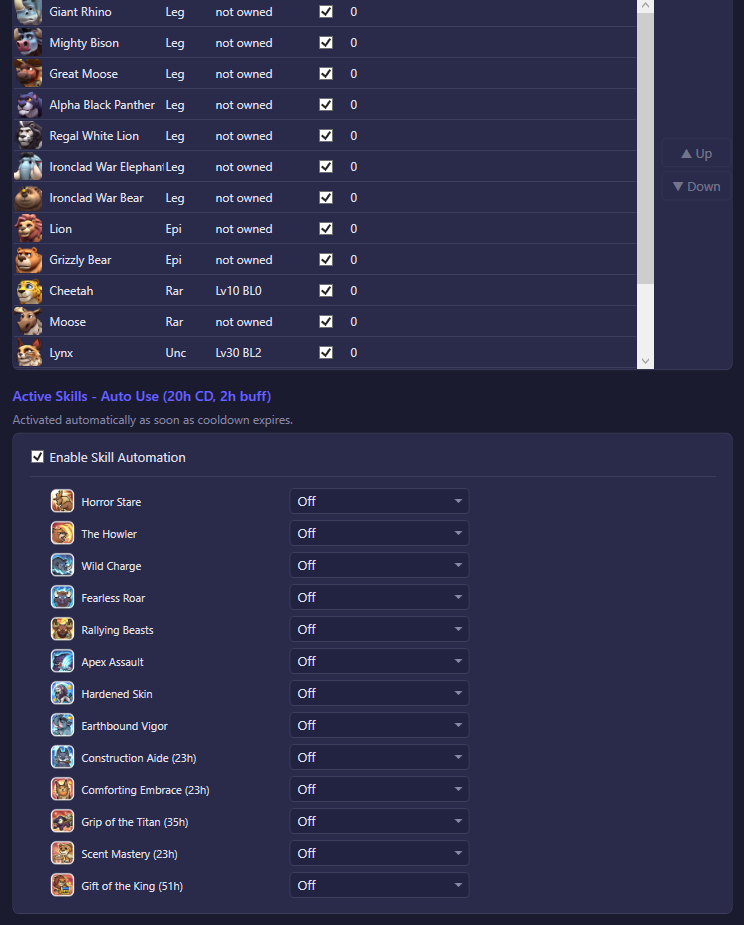
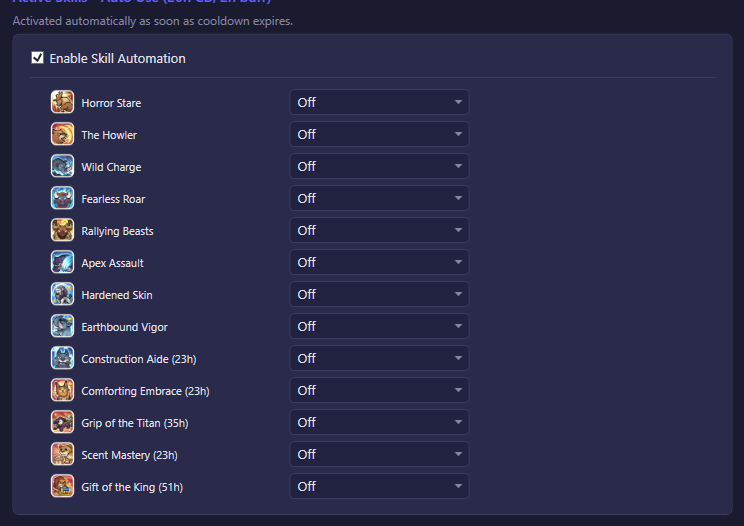
Active Skills - Auto Use (20h CD, 2h buff)
Option
What it does
Default
Enable Skill Automation
Master switch for pet skill casting. All the per-skill rows below are disabled while this is off.
On
Each owned pet talent gets its own row with a trigger dropdown — there is no longer a single "cast now" toggle per skill, since different skills are best used at different moments:
Trigger
When the skill fires
Off
Never auto-cast.
Immediate
As soon as the skill is off cooldown.
On Bear Trap
Right before joining or launching a Bear Trap rally.
On Building
Right before sending an upgrade-building command (for a building-speed buff).
On Gather
Right before starting a gather march (for an instant-gather buff).
Default triggers, seeded the first time this list is built: instant-beneficial skills (Comforting Embrace, Scent Mastery, Gift of the King) are set to Immediate; combat buffs (Horror Stare, The Howler, Wild Charge, Fearless Roar, Antler Impact, Deadly Bite, Territorial Power, Elephant's Guard) are set to On Bear Trap, so their 2-hour buff windows aren't wasted outside a rally. The remaining skills (Apex Assault, Earthbound Vigor, Hardened Skin, Construction Aide, Grip of the Titan) default to Off, even though On Building / On Gather triggers exist for them — enable those manually if you want the bot to time a building or gather march around them.